
Product updates
Your training week, in one place: session scheduling is now in Cadence
Most trainers run their week across a calendar, a notes app and a text thread, none of which know about the training. Here is how to set a cancellation policy that holds, and how sessions, attendance and session packs now work inside Cadence.

Ask a trainer who coaches in person where their week lives and you usually get three answers. The sessions are in Google Calendar or a paper book. The session packs, who has paid for ten and used six, are in a notes app or in their head. The "running ten late" and "can we move to Thursday" messages are in a text thread. The actual training, the programs and the logged workouts, lives somewhere else again.
None of those four places know about each other. So the trainer is the integration layer. They check the calendar, count the pack, text the reminder, and remember who no-showed last month when it is time to ask for the next payment.
Before getting to what changed in Cadence this week, one thing fixes more of that mess than any tool does, and it costs nothing.
Write your cancellation policy before you need it
Most late cancels and no-shows are not really a scheduling problem. They are a policy problem. The trainer never said what happens when a client cancels at 5:40 for a 6:00, so every time it happens it becomes a fresh negotiation, usually by text, usually ending with the trainer eating the session to keep the peace.
A policy that holds has three parts, and none of them are complicated:
- A notice window. Pick a number of hours and stick to it. 24 hours is the norm and nobody argues with it. 12 is generous. 48 is hard to defend for a one-hour session. Whatever you pick, it should be the same for every client.
- What a late cancel costs. The clean answer is that it uses a session from their pack, the same as if they had trained. A no-show uses one too. Charging a separate fee, or a half session, creates a second thing to track and a second thing to argue about.
- One exception you control. Life happens. The policy is not "no exceptions," it is "exceptions are mine to give." Waiving a session for a client with a sick kid is good coaching. Having it taken from you by a client who knows you will cave is not.
Say it once, early, in plain words, ideally the day they buy their first pack: "If you cancel with less than 24 hours' notice or miss a session, it comes off your pack. If something real comes up, tell me and we'll sort it." Then apply it the same way every time. The consistency is what makes it fair, and fairness is what stops it being awkward.
The reason trainers don't do this is rarely that they disagree with it. It is that enforcing it means remembering who cancelled when, counting it against a pack held in a notes app, and bringing it up in a text thread two weeks later. That is the part a tool can take off you.
What shipped
As of this week, scheduling is in Cadence. Sessions, repeats, attendance and session packs sit next to the clients and the programs, and the client sees their sessions in the same app where they log their workouts.
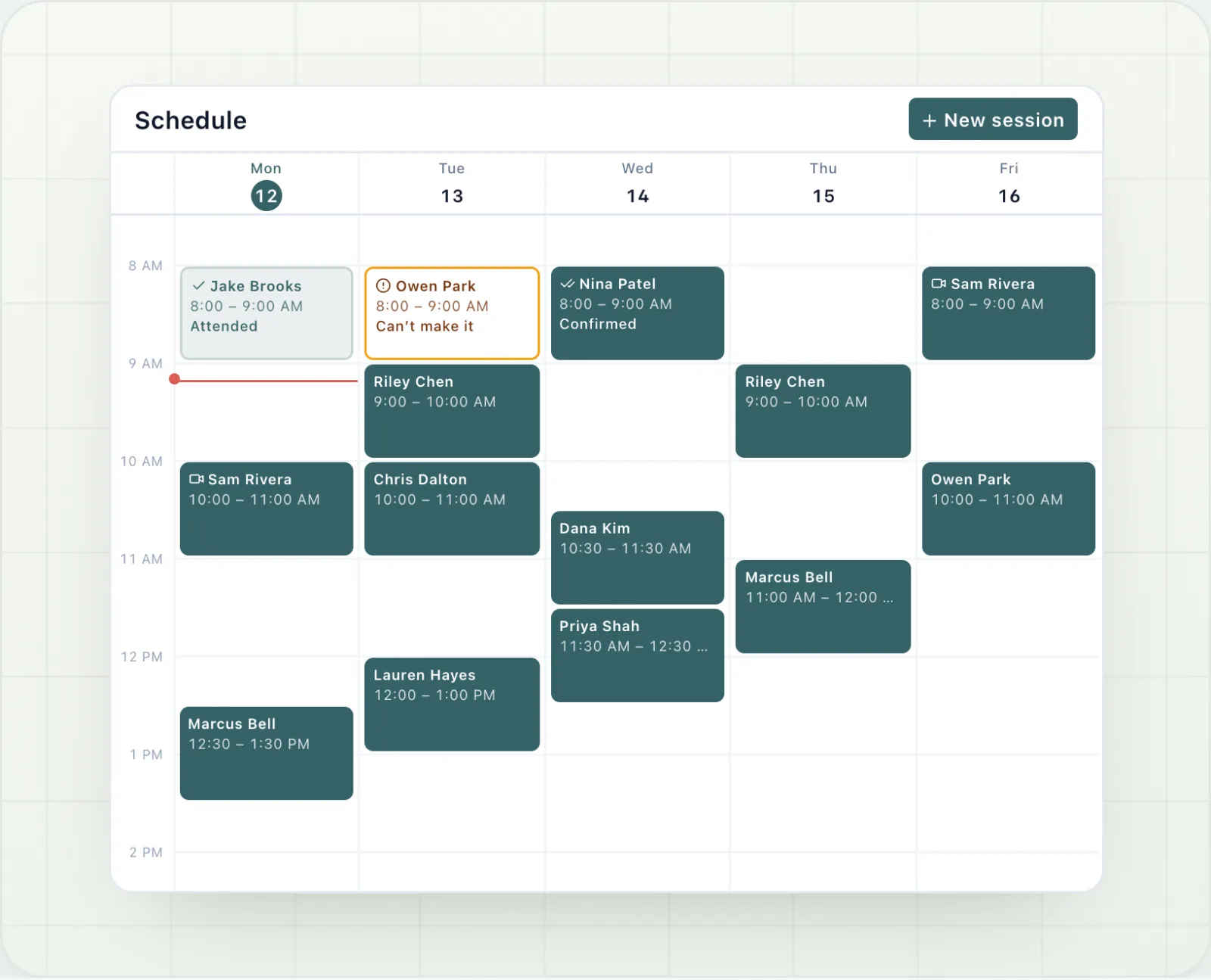
- A week calendar. Monday to Sunday on desktop. On your phone, three days at a time or a list for the week, with a month picker to jump to a date.
- Sessions with anyone. A session is with a person you manage: a client in your app, a lead from your pipeline, or someone you type in by name who never creates an account. Linking a person to a client account is always your choice.
- In person or online, 30 to 120 minutes, with a private note. Overlaps are flagged, never blocked. Sometimes two people really are in the gym at once.
- Weekly repeats. Set a regular up once, on one to three days a week for two to twelve weeks. It is stored as one series, so moving or ending it is one change.
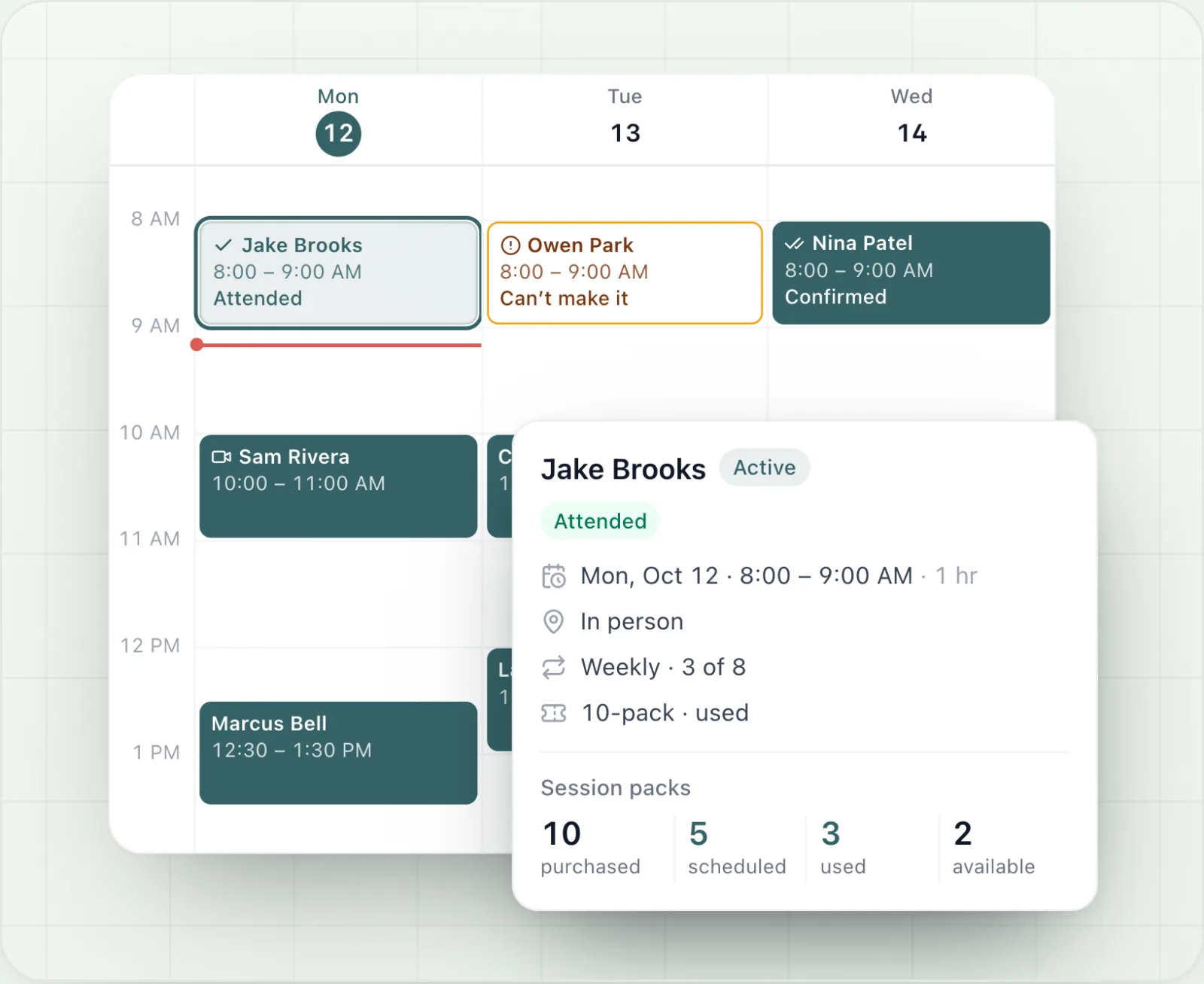
- Attendance. Attended, no-show, cancelled or late cancel, marked from the calendar or from a "Sessions to mark" list. Any status can be corrected later, and the history shows who changed what.
- A cancellation policy. You set the notice window and whether a late cancel or a no-show uses a session. Inside the window Cadence suggests late cancel. The decision is always yours, and you can waive a single session.
- Session packs. Record the pack a client bought, with the date and an optional price. Purchased, scheduled, used and available are counted from the sessions themselves. A pack never goes below zero, so a session beyond it shows as not covered until you add more.
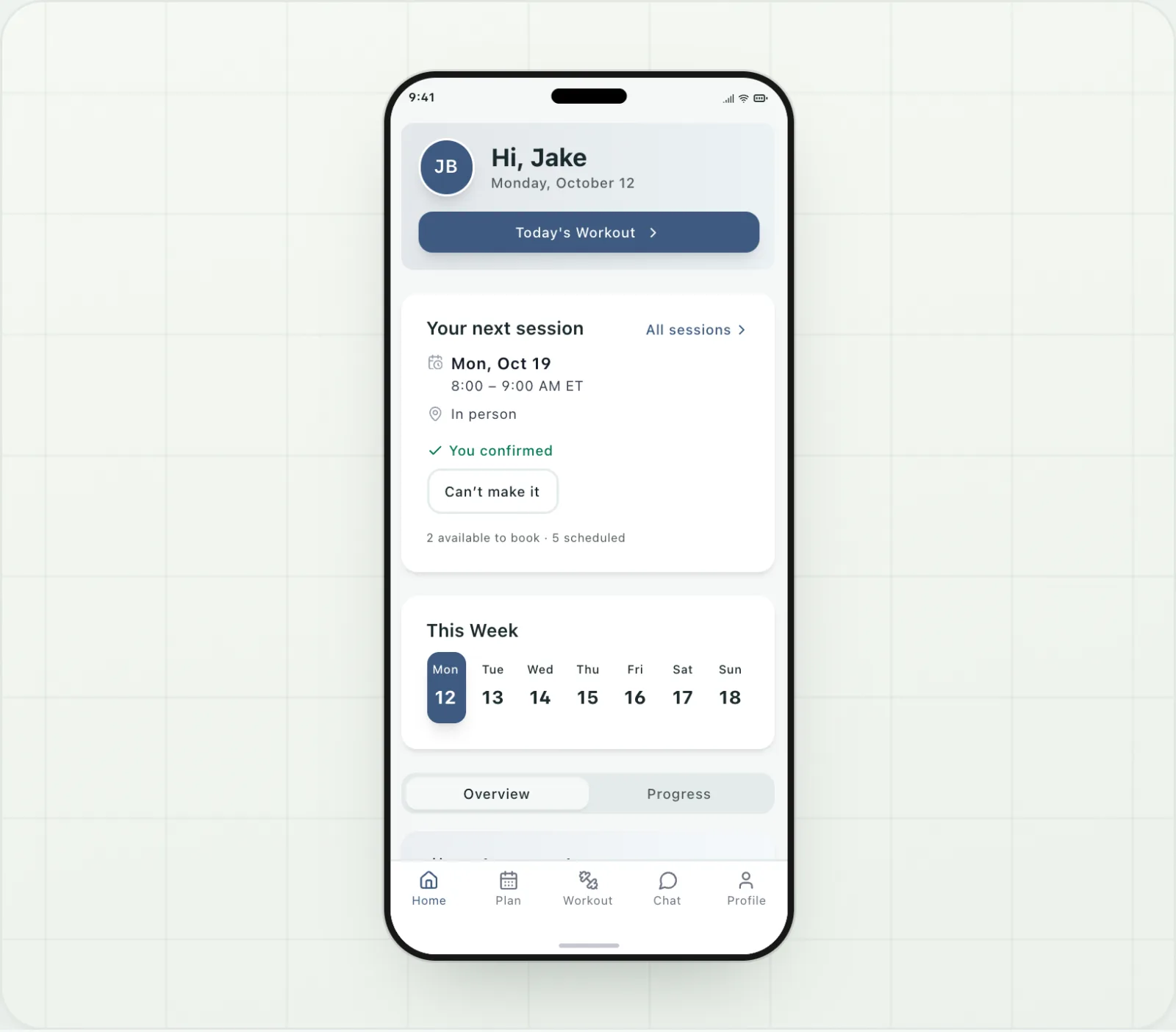
- The client side. Clients see their upcoming sessions in your app and can do exactly two things: confirm, or say they can't make it. When they can't, you get an email first.
- Emails. The person gets an email when a session is booked, moved or cancelled, plus one reminder before it. Someone you added by name gets them too, as long as you saved an email address.
Scheduling is on every plan. On Starter, anyone you schedule counts toward your 15 clients, the same as a client in your app, until you archive them.
How a week actually runs
Sunday night. Your regulars are already on the calendar because they repeat. You add two one-off sessions: a consult with a lead who filled in your form, and a makeup session for a client who was travelling. The lead is not a client yet and has no account. That is fine. She still gets the booking email.
Tuesday, 7am. A client taps "Can't make it" in your app for his 6pm. You get an email before you have finished your coffee, move the session to Thursday from the calendar, and he gets the new time. No text thread.
Wednesday. A 5pm never turns up. You mark it a no-show from the to-mark list. Your policy says a no-show uses a session, so his pack goes from four available to three. You did not have to remember that, and when he asks next week, the history is there.
Friday. The to-mark list is empty. Every session this week has a status, every pack balance is right, and nobody chased anybody.
Where to find it
Schedule is second in your sidebar, and a tab on your phone. The full breakdown is on the scheduling feature page. If you are not on Cadence yet, start a free 14-day trial and put next week on the calendar. No card needed.
Matt CampbellPublished October 9, 2026